Overview
This project started from a mix of frustration and curiosity.
Over time, paying for multiple streaming services just to watch one or two shows started to feel wasteful. Netflix, Prime Video, and the occasional extra subscription would add up quickly, and it felt like I was constantly paying for access instead of ownership. At the same time, I was also paying nearly $30 a month for SoundCloud, mostly so I could keep hosting my DJ mixes. That became harder to justify, especially because I tend to record almost every session, even practice sets, which meant I had built up a large library of mixes I wanted to keep available.
Instead of continuing to stack monthly subscriptions, I decided to build a self-hosted media setup on a Raspberry Pi. What started as a personal cost-saving project turned into a great learning experience in self-hosting, reverse proxies, domains, media management, and making services easy to share with family and friends.
In the end, I set up Jellyfin for shows and movies, the Arr stack for media management, Navidrome for my mixes, Portainer for container management, Nginx for reverse proxying, and Cloudflare Tunnel so I could share certain services publicly. I also bought my own domain so everything felt cleaner and easier to use.
This project was part hobby, part practical solution, and one of the more satisfying self-hosted systems I have put together.
Why I Started This Project
The motivation was pretty simple: I was getting tired of paying for convenience in too many places at once.
Streaming services had become fragmented enough that it was hard to justify keeping several subscriptions active just to watch a few specific shows. I also did not like the feeling of paying month after month without really building anything for myself. On the music side, SoundCloud had become another recurring cost that no longer made much sense. I wanted to keep my mixes online, but I was not listening to them enough through SoundCloud to justify the price.
Because I record so many sessions, including casual practice mixes, I had built up a pretty large personal archive. I did not want to lose that history, but I also did not want to keep paying premium platform pricing just to preserve it.
So this project really came from wanting more control. I wanted control over my media, control over access, and control over recurring costs. Self-hosting felt like the natural answer.
The Setup I Built
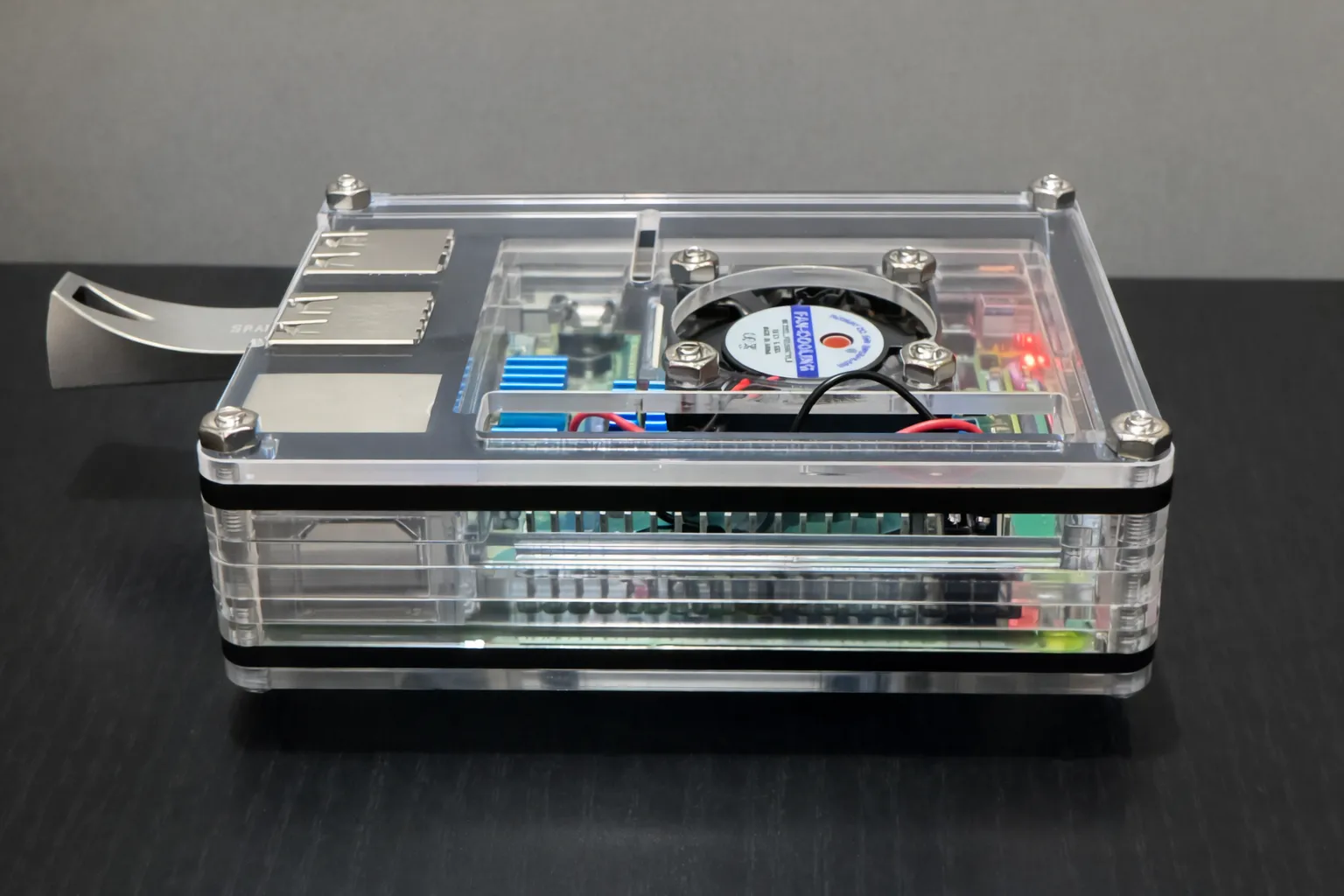
I used a Raspberry Pi as the base for the whole setup. It was affordable, small, low power, and good enough for what I wanted to do.
On top of that, I built out a stack that handled different parts of the system:
- Jellyfin for shows and movies
- The Arr stack for managing media workflows
- Navidrome for hosting and streaming my DJ mixes
- Portainer for easier container management
- Nginx for reverse proxying services behind clean subdomains
- Cloudflare Tunnel to expose certain services publicly without needing to deal with more complex networking
- A custom domain so everything felt organized and easy to access
The goal was not just to get these tools running, but to make them feel usable. I did not want this to be a bunch of random ports and local IP addresses that only made sense to me. I wanted a setup that felt clean enough to share with family and simple enough that other people could actually use it.
Hosting My Mixes With Navidrome
One of my favorite parts of this setup was moving my mixes off SoundCloud and into my own system.
This was probably the most personal part of the project. I have a habit of recording a lot of my sessions, including practice runs, and over time that builds into a pretty big collection. I did not want those mixes trapped behind an increasingly expensive platform, especially when I was mostly keeping them online for archival reasons and occasional sharing.
Navidrome turned out to be a great fit for this. It gave me a lightweight self-hosted music server that I could use specifically for my mixes. Instead of paying to host audio on someone else’s platform, I could store it myself and access it however I wanted.
What made it even better was that my friends could use apps from their app store that support the Navidrome API. That meant I was not just dumping files into a folder somewhere. I was giving them a real listening experience that worked through actual music apps, which made the whole thing feel polished and practical.
It also meant I could keep building my own archive without worrying as much about subscription costs scaling with it.
Making It Accessible
A big part of this project was not just self-hosting the services, but making them easy to reach.
I bought my own custom domain and reverse proxied everything through Nginx so I could access services through clean URLs instead of remembering ports or local network addresses. That made the setup feel much more intentional, and it also made it easier to share with family.
For my mixes, I went a step further and used a Cloudflare Tunnel so I could expose Navidrome publicly in a cleaner and more manageable way. That let me share access with friends without having to rely on a more awkward setup.
This ended up being one of the most valuable parts of the project. It is one thing to make services work on your own network. It is another thing entirely to make them feel simple, reliable, and friendly for real people to use.
That usability layer made the project much better.
Storage, Reliability, and What Broke
One of the more important lessons from this project came from something going wrong.
At one point, I ran into issues with my Raspberry Pi’s SD card failing. After doing some research, I found that the constant reading and writing from a setup like this can wear down a typical SD card faster than expected. That failure forced me to think more seriously about hardware reliability, not just software setup.
I ended up replacing it with an SD card designed more specifically for heavier read and write workloads. That was a good reminder that self-hosting is not just about getting containers running. Hardware choices matter too, especially when a device is on all the time and doing real work.
To help manage storage better, I also formatted a USB drive that now stays plugged into the Raspberry Pi and is used exclusively for my mixes. Right now the setup is split like this:
- 128GB on the SD card for show and movie streaming
- 64GB on the USB drive dedicated to my mix archive
This is not my final storage plan, but it is a practical temporary setup that works well for where I am right now.
It also taught me an important lesson: even a small self-hosted project starts making you think about resource planning, disk usage, and where different types of data should live.
Sharing With Family and Friends
This project stopped being purely personal once I started making it easier for other people to use.
For family, Jellyfin made it possible to share media in a way that felt much more organized than manually passing files around. For friends, Navidrome became a simple way to share my mixes through apps they were already comfortable using.
That changed how I thought about the project. Once other people are involved, even informally, the bar goes up. Suddenly it is not enough for the service to technically work. It has to feel straightforward, it has to stay online, and it has to be simple enough that non-technical users do not need a walkthrough every time they open it.
That was one of the more rewarding parts of the build. It became more than just a server sitting in my home. It became something useful.
Challenges and Tradeoffs
Like most self-hosted projects, the tradeoff is clear: you save money and gain control, but you also take on responsibility.
The biggest benefit was reducing recurring costs and owning more of my own setup. But in exchange, I became responsible for uptime, maintenance, storage planning, and hardware reliability. When something breaks, there is no support chat to open. It is your system, so it is your problem to solve.
The Raspberry Pi was a great starting point, but it also comes with limits. Storage is tighter, performance is more constrained, and hardware choices matter more. The SD card issue was the clearest example of that.
There was also the challenge of making everything clean enough to share. Getting services running locally is one thing. Putting them behind a domain, reverse proxying them properly, and exposing them safely and conveniently is where the project starts to feel more like real infrastructure work.
What I Learned
This project taught me a lot, even though it started as a fairly personal hobby.
The biggest lesson was that self-hosting gives you real control, but it also forces you to think more like an operator. You start caring about storage, uptime, reliability, access, and long-term maintainability in a way that simpler projects do not always demand.
I also learned that usability matters even in a homelab-style setup. If a service is meant to be used by family or friends, it needs to feel simple and approachable. Clean URLs, stable access, and app compatibility matter just as much as the technical stack.
On the music side, moving my mixes to Navidrome showed me how valuable it can be to own and organize your own content instead of relying entirely on third-party platforms. That part of the project felt especially meaningful because it gave me a long-term home for something personal.
And finally, the SD card failure was a good reminder that infrastructure decisions are never just software decisions. Hardware reliability matters, even on small setups.
What I Would Do Differently
If I were rebuilding this from scratch, I would think about storage and reliability earlier.
The current setup works, but it is clearly transitional. Splitting media between the SD card and a USB drive solves the immediate problem, but it is not the long-term solution I want. In the future, I would move this to a proper NAS-based setup with more intentional storage, better redundancy, and room to self-host more applications.
I would also spend more time building out monitoring, backups, and documentation for the system. Right now it works well, but there is still room to make it more resilient and easier to recover if something fails again.
That said, I think this was a great first version. It solved the problem I wanted to solve, reduced ongoing costs, gave me more ownership over my media and mixes, and taught me a lot in the process.
Looking Ahead
This setup is still temporary, but it has already changed the way I think about self-hosting.
Once I move out and have more room to expand, I plan to build this out further with a proper NAS and start hosting more apps in a more permanent way. This Raspberry Pi project was the beginning, not the final version.
What I like most about it is that it solved a real annoyance in my life while also teaching me practical lessons in infrastructure, networking, storage, and service design.
It started with not wanting to pay for too many subscriptions.
It ended with me building something I actually own.